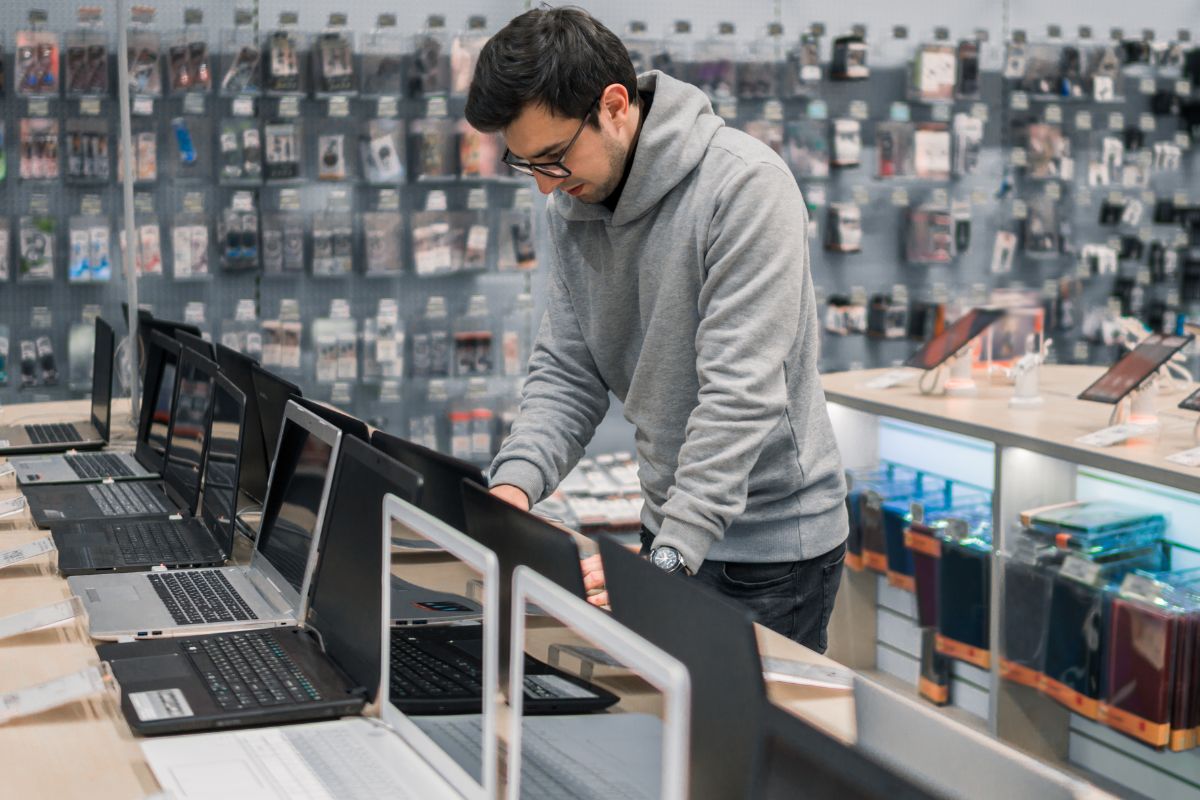
Look. Buying a laptop used to be simple. Pick a size. Pick a price. Walk out feeling smug. That version of reality is gone. In 2026, laptops don’t just run apps. They predict. They summarize. They clean up photos while you blink. They promise “AI” on the box and quietly triple the price. And half the time, nobody explains what any of it actually means. I’ve watched this shift happen slowly, then all at once. First, the chips changed. Then the operating systems caught up.
Then marketing departments went wild. And suddenly everyone is asking the same anxious question over coffee or Slack,k or a half-broken Zoom call. How do I pick the right laptop now without getting burned? That question. That’s the heart of how to choose a laptop in 2026. This year feels different because it is different; not louder, not shinier. Just… more consequential. A bad pick doesn’t just feel annoying anymore. It follows you for years. Slows work. Wastes money. Eats patience. And yeah, we’ve all made those mistakes. So let’s slow this down. Strip away the noise. And talk like real people.
Why 2026 Changed the Laptop Buying Game
The moment everything shifted was when “AI PC” stopped being a demo and started shipping at scale. By late 2024, Microsoft confirmed that future Windows features would lean heavily on local AI processing, not cloud calls. Qualcomm, AMD, and Intel followed fast with chips that included dedicated neural processors. Not faster CPUs. Different hardware entirely. As Microsoft explained during its Copilot Plus announcement, these new laptops run AI tasks locally for speed, privacy, and battery life. That matters. A lot.
And the price jump? That’s real, too. According to IDC’s 2025 PC market outlook, AI-capable laptops were costing roughly 15 to 25 percent more than standard models at launch. Not forever. But right now, that premium stings. So the goal in 2026 isn’t buying the “best” laptop. That’s a trap. The goal is to buy the right one. For you. For what you actually do. This is not about the features highlighted on the spec sheet.
Also Read – How does FB Pay Work
The Five Things That Actually Matter, Backed by Reality
Here’s the thing nobody tells you. Most laptops are powerful enough. The differences hide in how that power shows up day after day.
AI Performance Is No Longer a Buzzword
AI performance matters now. Not in the flashy, vague way brands talk about it. In the boring, practical way that affects daily use. Laptops with dedicated NPUs handle things like voice typing, live captions, background blur, photo cleanups, and code suggestions locally. That means faster responses and less battery drain. Qualcomm’s Snapdragon X chips do this one way. Apple’s M series does it again. AMD’s Ryzen AI chips take their own route. Different paths, same direction. The key point is simple. If a laptop doesn’t have dedicated AI hardware in 2026, it’s already behind. Not useless. Just aging faster than it should.
Memory Is the New Bottleneck
People still obsess over storage. That’s old thinking. Memory is where things get tight now. AI tools sit in the background. Browsers eat RAM like snacks. Creative apps never fully close. As Wired noted in its 2025 laptop buying guide, modern workloads chew through memory faster than most people expect. Eight gigabytes works if you’re careful. But it feels cramped. Sixteen gigabytes feels normal. Comfortable. Future-proof enough. For students, too. Especially students juggling research tabs, PDFs, and note apps at once. If you’re choosing where to spend, spend here.
Power Efficiency Changes Your Mood
This one sounds dramatic until you live it. A fast laptop that dies before lunch isn’t fast. It’s stressful. You start planning your day around outlets. You carry chargers everywhere. You get annoyed at things that aren’t really the problem. Newer chip designs fix a lot of this. Battery testing from Notebookcheck across 2024 and 2025 showed real-world gains of several hours on more efficient architectures, especially ARM-based systems. These are not just marketing numbers. Actual unplugged time. This is the difference between liking your laptop and quietly resenting it.
Display Tech Affects More Than Your Eyes
Screens shape how you work more than people admit. Brightness matters more than resolution for most folks. Color accuracy matters if you edit anything at all. The refresh rate feels nice, but it’s not the main event unless you game. OLED looks stunning. Blacks are deep. Colors pop. But burn-in can happen over time. Mini LED trades some contrast for better brightness control and longevity. LCD still has a place, especially for budget-friendly reliability. There’s no perfect display. Just tradeoffs. And your eyes will tell you if you chose wrong.
Portability Becomes Personal, Fast
Half a pound doesn’t sound like much. Until you carry it every day. Specs don’t weigh anything on paper. Bags do. So do shoulders. So does your patience when you’re rushing through an airport or moving between classes or meetings. I learned this the hard way. Once you live with a machine, weight stops being abstract. It becomes physical. Very physical. Portability sneaks up on you. And once it does, you can’t unfeel it.
Matching the Laptop to the Human Using It
This is where most buying advice quietly breaks down. People don’t shop for the life they actually live. They shop for the version of themselves they hope to become. That’s how regret starts. A laptop should fit your real habits. Not your aspirations. Not the fantasy setup you swear you’ll use “one day”.
For Students and Researchers Who Just Need It to Work
Students don’t need monster graphics cards. They need trust. Long battery life. Enough memory to keep twenty tabs open without panic. A keyboard that doesn’t fight back during late-night writing sessions. And a screen that won’t make your eyes ache after three hours of reading. If someone’s asking how to choose a laptop for beginners, this is the starting line. Sixteen gigabytes of RAM. A reliable processor. Comfortable keys. Everything else is optional. Stability beats flash every single time.
For Creative Professionals Who Push Systems Hard
Creative work stresses laptops in ways spreadsheets never will. Color accuracy matters because mistakes show up in final exports. Sustained performance matters because rendering isn’t a sprint. Thermal design matters because throttling ruins momentum. Apple’s M3 Pro systems handle this consistently. Higher-end AMD machines do as well. Adobe’s 2025 performance testing made this clear. The right laptop stays fast under pressure. The wrong one slows down quietly when you need it most. That difference feels personal when deadlines hit.
For Remote Workers Living on Camera
Remote work exposes things specs never mention. Bad webcams make you look unprepared. Weak microphones make you sound distant. Loud fans break concentration and sabotage calls at the worst moments. None of this shows up on a product page headline. But it shows up every day in meetings. Silence, clarity, and camera quality matter more than raw power for most remote roles. It’s boring tech. It’s also the difference between being heard and being ignored.
For Gamers and Developers Who Care About Longevity
Gamers and developers want different things, but they collide more than people think. CPU strength matters more than many expect. Cooling matters even more. A fast chip trapped in poor thermal design won’t stay fast for long. If you’re asking what to consider when buying a laptop for programming, start with the keyboard. Then sustained performance. Then cooling. GPUs only deserve priority if your work truly depends on them. Flashy hardware looks great in photos. Comfort and consistency matter when you’re ten hours deep into real work.
Also Read – How Many Times Do I Actually Get Paid This Year?
The OS Question Nobody Escapes
By 2026, the operating system will not be just software sitting on top of hardware. It shapes the hardware itself. Ignore that, and even an expensive laptop can feel wrong within a year. People still ask which OS is best. That’s the wrong question. The better one is the OS that fits how you actually work.
Windows: Flexible, Familiar, Everywhere
Windows still wins on sheer compatibility. If you use niche software, older tools, business systems, or anything industry-specific, Windows usually just works. Microsoft’s push to bake AI directly into the operating system changes things, too. Features like local copilots, smarter search, and real-time assistance depend on new hardware. Laptops built around this shift will age better. That’s not hype. It’s architecture. Strong Windows laptops today are made by Dell, HP, Lenovo, ASUS, and Microsoft with its Surface lineup. These brands offer everything from lightweight workhorses to serious performance rigs. Windows aren’t always elegant. But it’s adaptable. And for many people, that matters more.
macOS: Built for Creative Flow and Longevity
macOS feels different because it is different. Apple controls the hardware and the software. That tight loop pays off in power efficiency, quiet performance, and long support cycles. Many MacBooks receive updates for seven years or more. That’s not common elsewhere. For creatives, this still matters. Video, photo, music, and design workflows are still faster on Apple silicon. MacBook Air and MacBook Pro laptops with M-series chips balance speed and battery life better than most competitors. If your work exists within creative apps and you prefer consistency to customization, Apple keeps earning its reputation.
ChromeOS: Quietly Owning Education and Simplicity
ChromeOS doesn’t shout. It doesn’t need to. In schools, libraries, and shared environments, it dominates. Fast boot times. Simple updates. Strong security by default. And prices that don’t hurt. Brands like Acer, Samsung, and Lenovo continue to lead here. These machines aren’t flashy. They’re dependable. For students who live in browsers and cloud tools, ChromeOS feels refreshingly light. No drama. No tinkering.
Linux: Powerful, Precise, and Still Not for Everyone
Linux remains brilliant. And stubborn. Both at once. Developers love it. Tinkerers swear by it. It runs fast, respects hardware, and gives full control. But it asks something back. Time. Curiosity. Patience. Laptops from Lenovo and Dell often ship with Linux-friendly configurations. They’re solid starting points if you know what you’re doing. Linux rewards effort. It doesn’t apologize for asking.
No Winner, Just the Right Fit
There’s no universal best OS in 2026. That idea belongs to another era. Windows suits flexibility and breadth. macOS shines in creative work and longevity. ChromeOS thrives on simplicity. Linux rewards control. The smart move isn’t picking a side. It’s picking alignment with your work, habits, and tolerance for friction. Get that right, and the laptop disappears. This is exactly what the laptop is designed to do.
The Storage Trap and Why It Still Works
Here’s a piece of advice that feels boring but saves real money. Don’t overpay for storage. It’s still the easiest place for laptop makers to quietly pad the price, and it catches more buyers than almost anything else. Internal storage upgrades look harmless at checkout. A few hundred dollars here. A little more space there. But that’s where margins hide. Meanwhile, external SSD prices dropped again toward the end of 2025. Not by a tiny amount either.
Fast drives became cheaper, smaller, and far more reliable than they were even a couple of years ago. For most people, internal storage fills up slower than expected. Documents barely take up space. Cloud syncing handles a lot automatically. And when you actually need more room, an external drive solves the problem in seconds without locking you into an expensive factory upgrade. So here’s the smarter move. Spend your money on memory and the processor first. Those can’t be upgraded later. Storage can. Easily. This rule keeps showing up year after year, and it’s still one of the safest shortcuts in how to choose a laptop without wasting cash.
Also Read – Fix These Video Call Mistakes Before Someone Mutes You Forever
Specifications Matter
People still ask things like, ‘What are the specifications of a good laptop?’ Or what are the specifications of a good laptop for students? Or for work. Here’s the honest answer. Good specs support your habits. They don’t impress strangers. Sixteen gigabytes of RAM. A modern processor with an AI engine. A screen that doesn’t hurt your eyes. A battery that lasts your day. A keyboard you don’t fight with. Everything else is optional.
One Last Thought Before You Buy
This might sound strange, but the best laptop decision I ever made came from not buying anything for two weeks. I watched how I worked, where I worked, and when I got annoyed. When things slowed me down, I took note. That told me more than any review ever could. 2026 laptops are incredible. Also expensive. Also confusing. But if you understand yourself first, the rest falls into place. So before you click Buy Now, ask yourself one honest question. What do I actually need this machine to do when nobody’s watching?
FAQ’s
1. What features should I look for while buying a laptop in 2026?
Choose a processor from the most recent generation, at least 16GB of RAM, SSD storage (512GB or more), and a long battery life. These make sure that everything runs smoothly and is ready for the future.
2. Should you buy a laptop with AI in 2026?
Yes, laptops with AI chips are a good investment for the future since they work faster, manage batteries better, and have better security measures.
3. How much should I pay for a nice laptop in 2026?
A good laptop usually costs between $700 and $1,200, depending on what you need it for, such as gaming, editing, or business work.
4. Should I pick Windows, macOS, or ChromeOS?
Pick based on how you plan to use it: Windows for flexibility, macOS for creative work, For students and light users, ChromeOS
5. How can I avoid feeling bad about buying a laptop?
Read authentic reviews, evaluate long-term performance, compare brands, and only buy what you really need to avoid hype.
Sources –
The future of Windows is cloud and AI, by The Verge on Nov 23, 2024
Apple unveils M3, M3 Pro, and M3 Max, the most advanced chips for a personal computer, by Apple on October 30, 2023
The 11 best Windows laptops of 2025 by Mashable on December 20, 2025







💬 Comments