Your phone does not passively stream microphone audio to advertisers. Both iOS and Android require explicit user permission for mic access and block most background listening. However, voice assistants like Siri and Google Assistant do use on-device wake-word detection, and certain app permissions can be broader than you realize.
The belief that smartphones constantly eavesdrop is one of the internet’s most persistent privacy fears. While the anxiety is understandable and privacy threats are real, the “always listening” narrative misrepresents how mobile operating systems actually work.
Both Apple iOS and Google Android use an explicit permission model. This means an app cannot activate your microphone without two things: a user grant and an active foreground state (with limited exceptions). The operating system enforces this at the kernel level, not just in policy.
How Permission Models Work on Each Platform
iOS (Apple)
On iPhone and iPad, Apple’s privacy framework requires apps to declare microphone usage in their App Store submission. When you first open an app that wants mic access, iOS displays a system dialog that you either allow or deny. You can revoke this at any time via Settings → Privacy & Security → Microphone. Apple’s orange dot indicator provides real-time visual feedback whenever the mic is live.
Android
Android uses a runtime permissions model. Apps must request mic access while running, and users confirm in the moment. Android also offers “Only while using the app” as a permission tier, preventing background access entirely. The Privacy Dashboard (Android 12+) creates a 24-hour audit log of all microphone access events across every installed app.
| Feature | iOS 17+ | Android 12+ |
|---|---|---|
| Explicit permission required | YES | YES |
| Visual indicator when the mic is live | Orange dot | Green dot |
| Background access is blocked by default | YES | YES |
| Permission audit/dashboard | Limited | Full dashboard |
| “While using the app,” tier available | YES | YES |
| Wake-word detection uses a mic | On-device (Siri) | On-device (Assistant) |
What About Voice Assistants?
Siri, Google Assistant, and Alexa on phones do use a persistent background process, but modern implementations run wake-word detection entirely on-device. No audio is sent to the cloud until the wake phrase is recognised. Independent security researchers at universities, including Northeastern, have analyzed network traffic from phones and found no evidence of ambient audio being streamed to ad servers.
Why Do Ads Feel Eerily Accurate Then?
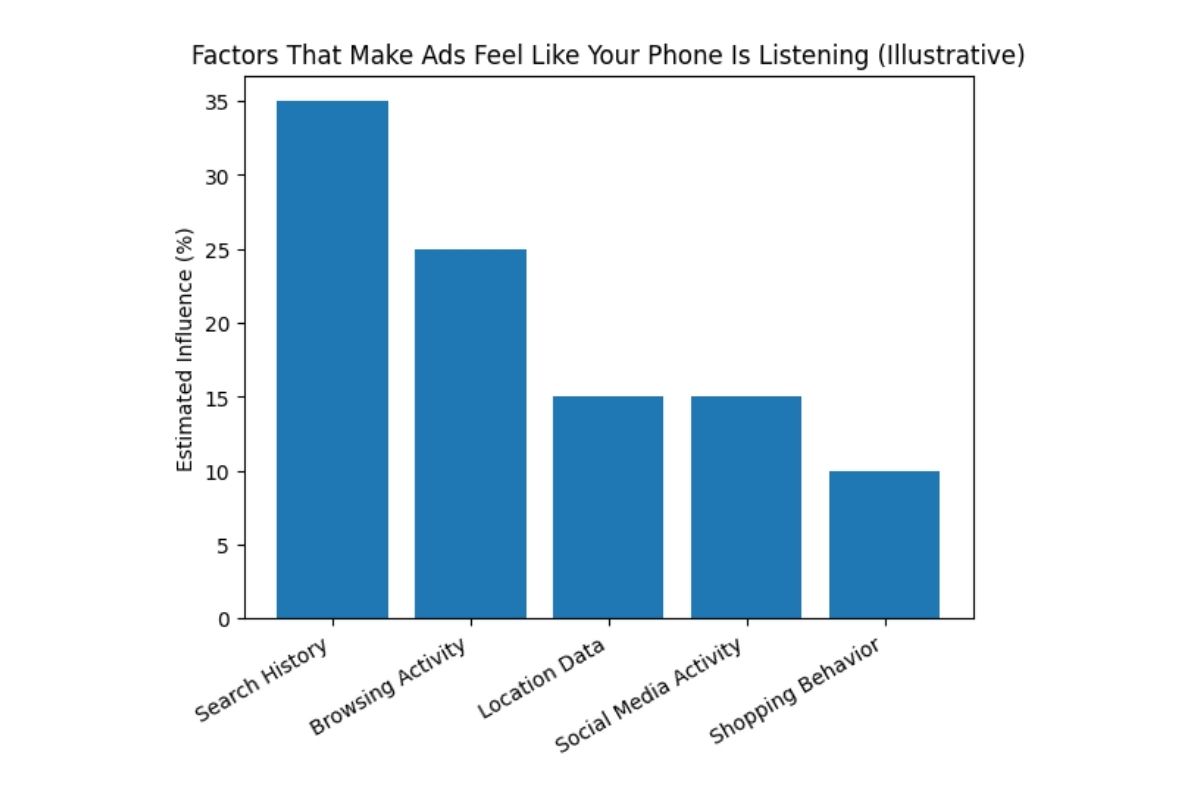
Behavioral targeting, location data, purchase history, browsing patterns, and shared data from third-party brokers are extraordinarily powerful. You and a friend searching related topics independently will produce overlapping ads, no microphone needed. This is called contextual inference, and it explains most “spooky” ad experiences.
How to Take Control of Your Mic Permissions
- Audit every app’s mic access. On iPhone: Settings → Privacy & Security → Microphone. On Android: Settings → Privacy → Permission Manager → Microphone.
- Revoke access for apps that don’t need it. A shopping app, a game, or a flashlight app has no legitimate reason to access your microphone.
- Use “While Using” over “Always” whenever possible. This prevents background access even for apps you do trust.
- Watch for the indicator dot. If your orange (iOS) or green (Android) dot appears when you’re not actively using voice features, open the Control Centre to see which app triggered it.
- Review app updates. New app versions can quietly request additional permissions. Check permission settings after major app updates.
The Bottom Line
Your phone is not passively broadcasting your conversations to advertising networks. The architecture of modern mobile operating systems makes this technically difficult, resource-intensive, and critically detectable. What is happening is a sophisticated web of behavioral, contextual, and location-based tracking that feels like listening because it predicts your interests so accurately. Understanding the real mechanics of microphone permissions puts you in control. Audit your apps, revoke unnecessary access, and pay attention to those indicator dots. That’s genuine privacy hygiene, not paranoia, but informed action.







💬 Comments